AIESEC HK Projector
 Photo by Open air cinema on Freepik
A self motivated project to help tech guy for OC L
Features:
- Ad Block for YouTube, Spotify, etc…
- Customizable shortcut for clicker
- Clicker only work on active presenter view (so you can do other things, i.e. play music)
- Freeze/Unfreeze Screen
- Volume control (mute) per tab
Feel free to create an issue to request new features
Usage Instruction:
Coming soon™️
Installation guide for MacOS
- Go to GitHub
- Download the file ending with .dmg and (arm64 for M series processor and x86 for Intel)
- Open it
- Drag the app to the “Applications” folder
- Open the “Terminal.app”
- Paste the following command “xattr -cr /Applications/AIESEC\ HK\ Projector.app” (without quotes)
- Press enter
FAQ:
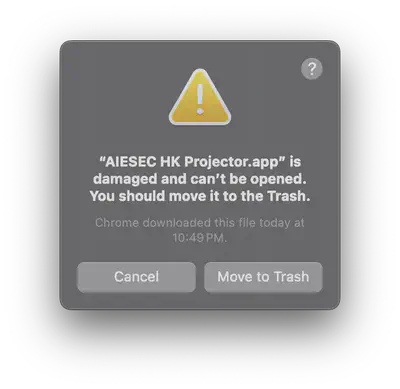
Q: When I try to open the app, it saids: “AIESEC HK Projector.app” is damaged and can’t be opened. You should eject the disk image.
A: Follow step 5 of the instruction. (Follow up question: Why so complicated? A: Because I didn’t pay for the 99 USD yearly to Apple. Any 金主爸爸)
Installation guide for Windows
- Go to GitHub
- Download the file which includes “Setup.installer.windows” and (arm64 for ARM series processor and x64 for 64-bit Intel processor)
- Open it and wait for a few seconds, the app should be installed to your computer